Claude Code Statusline Configurator
I kept seeing Claude Code everywhere. At some point I figured the only way to actually know if it's useful is to just use it for something real. So I did.
View ProjectThe Real Goal Was Design ↔ Code
When I started, the statusline configurator wasn't really the point. What I actually wanted to explore was this workflow loop: design something in Figma, hand it off to Claude Code, get working code back, iterate. That back and forth between design and implementation is something I've always wanted to tighten up.
The configurator was just a good excuse to actually run through that loop on something concrete.
What Even Is a Statusline
When you're using Claude Code in the terminal, everything looks the same. You type, it responds, files change. But there's no visible signal for how much context you've used, what model is active, or whether you're about to hit a rate limit and wonder why responses suddenly got weird.
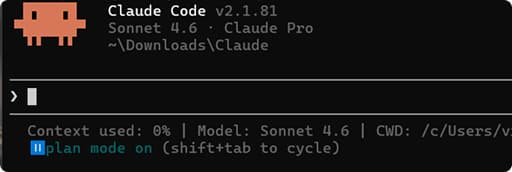
Claude Code has a statusline feature that puts a live info bar in your terminal, model name, token count, cost, active tool. It's off by default, and setting it up means manually editing a JSON config file and writing a shell script.
That's a small thing, but it caught my attention. Not because it was painful, but because I saw it as something I could turn into a project. It felt like the right scope: small enough to finish, real enough to be useful.
So I Built a Configurator
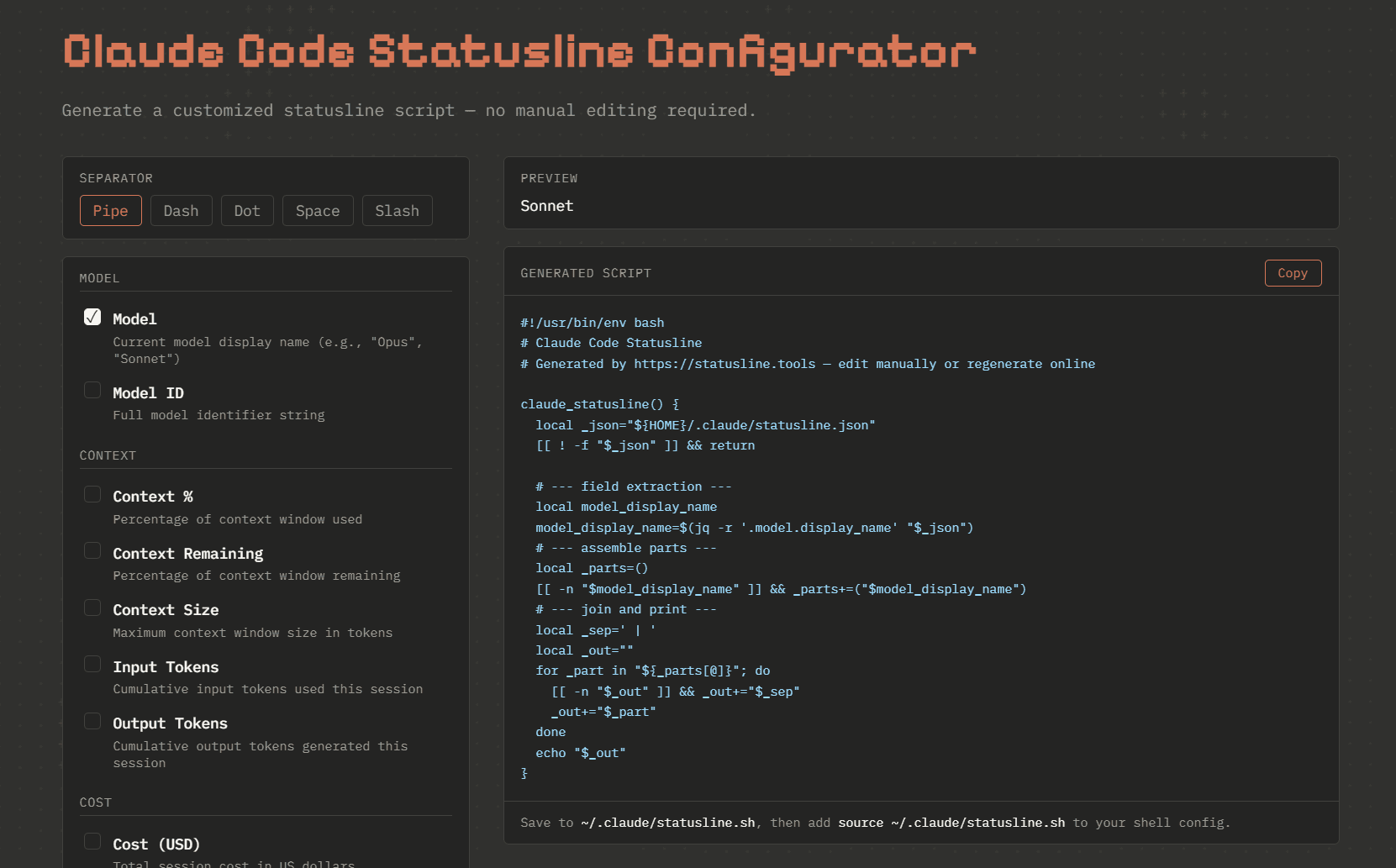
Instead of telling people “edit this JSON file and write this shell script,” I wanted a page where you just click what you want and get the output. Pick your modules, see the preview, copy the script. Done.
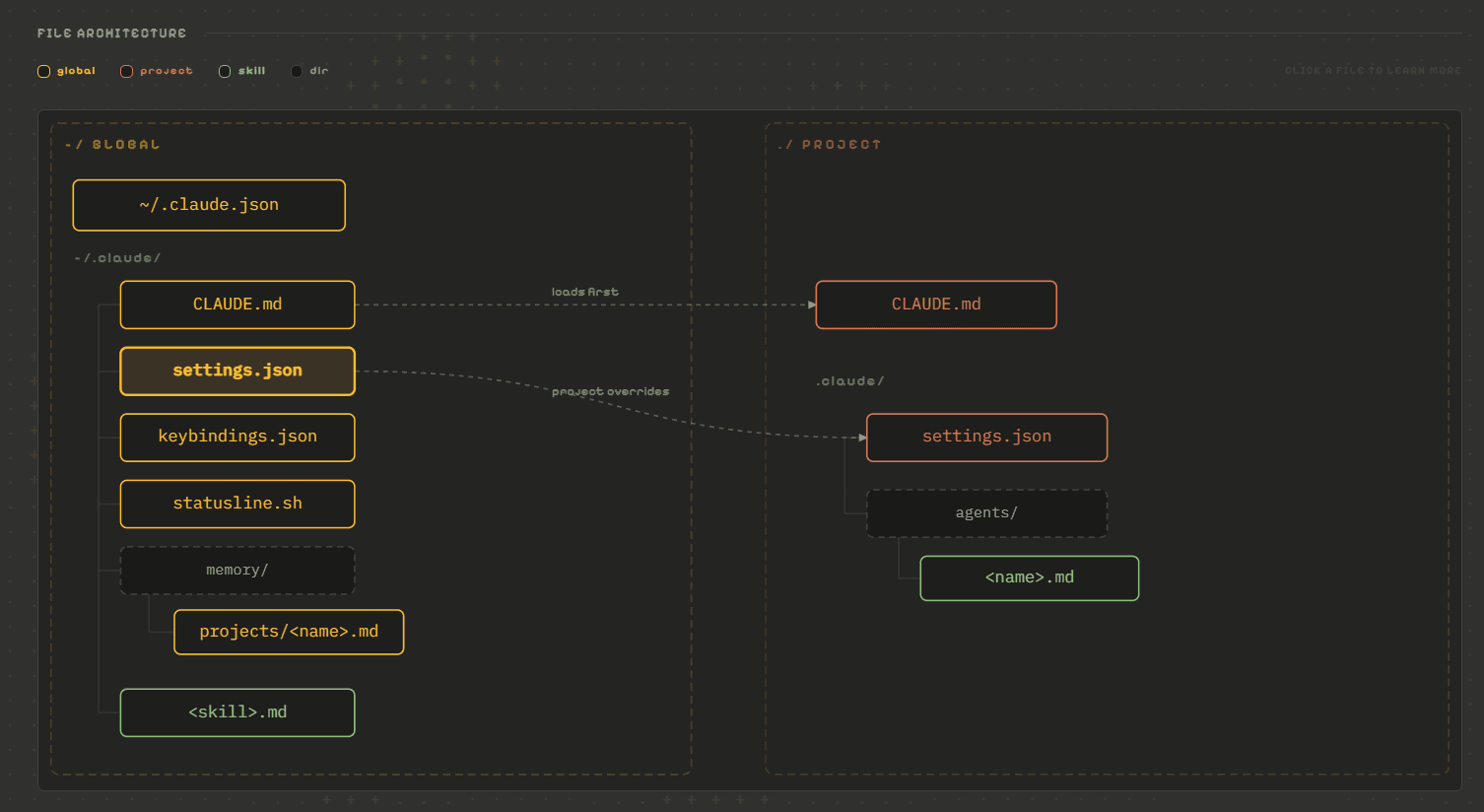
The guide page came out of a parallel need. I was keeping notes for myself, commands I kept forgetting, how the architecture actually works, what CLAUDE.md files do and where they load from. At some point I thought: why not just publish this? I put myself in the headspace of someone starting from scratch with Claude Code and wrote what I wish I'd had.
The architecture diagram in particular, I built that to help myself understand how all the pieces relate. Global settings, project settings, agents, memory. It's a bit abstract until you see it laid out visually.
Who It's For
Honestly, this isn't for people who are deep into Claude Code already. They've probably already set up their statusline, written their own CLAUDE.md, have opinions about permissions. This is for people who just started, who saw it on social media and downloaded it and are now wondering where to actually begin.
I'm not trying to sell anyone on it. Just sharing the setup that made it click for me, and a tool that removes one small friction point at the start.
If you're just getting into Claude Code, the guide page might save you some time. And if you want the statusline without touching JSON manually, the configurator does that in about thirty seconds.